A project / Agent skill / 2026-11-17
Diorama Builder
A reusable skill for building interactive miniature worlds with terrain, weather, movement, light, and sound.
Build your own little world
Give your agent a starting point.
Download and install the skill, then copy this brief. Replace the concept line with your idea.
Read the agent instructions
A website can be a place you spend a little time in. Diorama Builder is my first reusable skill: a guide and starter for creating small, living 3D worlds on the web.
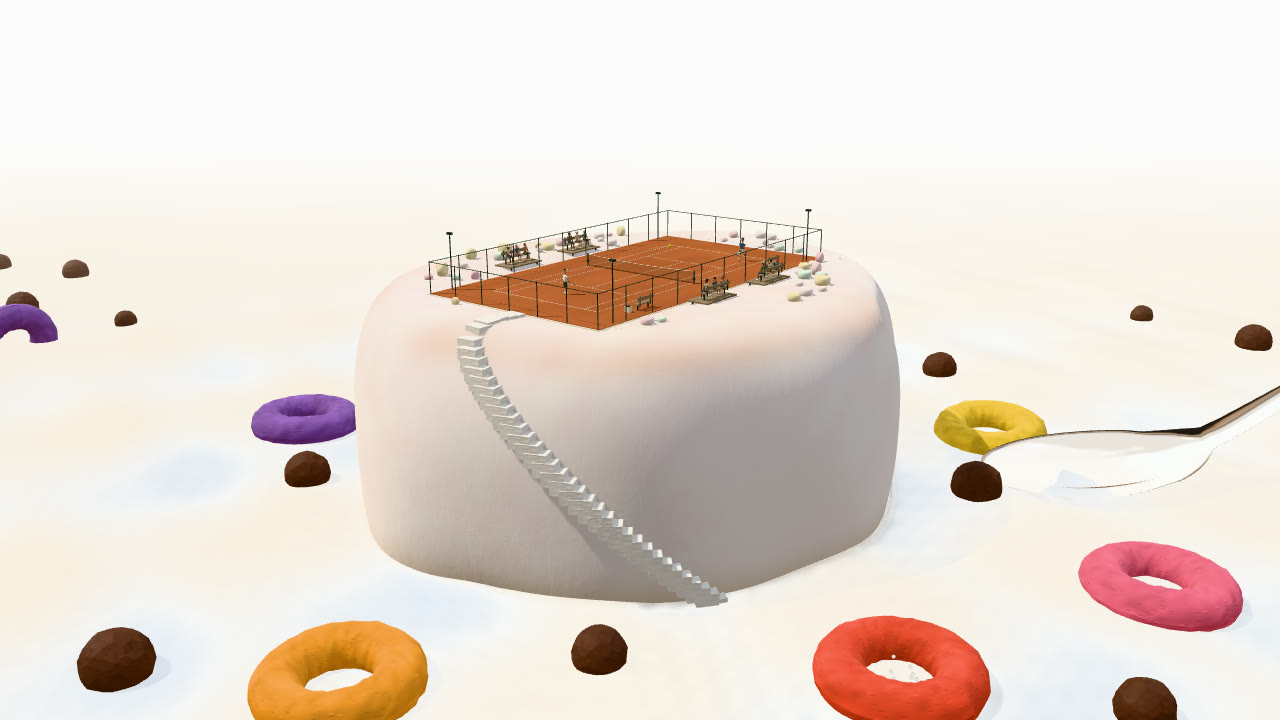
The Ice Age valley on this homepage and the breakfast tennis court on a giant marshmallow show the kind of worlds it is designed to help build.
What it helps you build
- Terrain, vegetation, and materials that share a believable miniature scale.
- Autonomous inhabitants with natural movement and grounded interactions.
- Light, weather, atmosphere, and sound that respond together.
- Orbiting cameras, direct interaction, and controls that work on smaller screens.
A consistent visual language
The goal is cinematic realism at miniature scale: varied natural silhouettes, restrained colors, believable material response, and atmospheric depth. Each world can have its own story while sharing that visual identity.
Try a world
Explore the diorama collection or play breakfast tennis.
Use the skill
The download contains the skill instructions, supporting references, and starter resources. Extract it into your agent's skills folder, then ask it to use diorama-builder to create or refine a scene. Read the included SKILL.md to see the workflow and requirements.
The skill can help build a scene; the final result still needs testing in a browser, including movement, input, performance, sound, and small-screen framing.
How the skill works
The skill is a set of instructions, references, and starter files that a coding agent reads and applies. It is not a hosted scene generator or a library you import into your application. The agent builds ordinary web code that you can inspect, modify, and run locally.
- Read the world. Define the theme, focal story, miniature scale, terrain or container, camera, and the interactions that matter. For an existing scene, inspect its renderer, update loop, bounds, input, audio, and tests before changing it.
- Choose a starting point. Scaffold a new static project or extend the existing scene. A planning mockup uses muted materials and simple silhouettes; a finished living world adds detail and behavior in stages.
- Establish the scene. Build the terrain, camera, major silhouettes, materials, directional lighting, and contact shadows first. Add characters and atmospheric detail after the composition reads clearly.
- Connect the systems. Movement, terrain, weather, lighting, sound, and direct controls share explicit state rather than running as unrelated effects.
- Verify the result. Run the relevant tests, inspect the live scene on desktop and phone layouts, and distinguish measured results from assumptions. A concept image does not validate the implementation.
What is in the download?
| Resource | Purpose |
|---|---|
SKILL.md | The agent's entry point: workflow, visual identity, constraints, and completion requirements. |
references/foundation.md | Composition, scene boundaries, geometry, input ownership, performance, and verification. |
references/living-world.md | Gait, navigation, natural behavior, weather, daylight, and audio. |
references/realistic-cinematic-reference.png | The shared visual reference for realistic cinematic miniature worlds. |
references/planning-mockups.md | A simpler mode for layout, zones, footprints, and camera studies. |
scripts/scaffold.py | Creates a new runnable static project from the bundled starter. |
assets/starter | Example code, tests, and locally vendored Three.js with its license. |
The starter is deliberately small and theme-neutral. It does not contain every finished diorama on this site or automatically reproduce the full Ice Age simulation.
Code structure
The starter separates four responsibilities:
src/config.js       Theme, dimensions, camera, weather, and tuning
src/world.js        Scene geometry, materials, and scenery
src/simulation.js   Pure state and behavior, independent of the DOM
src/app.js          Browser renderer, input, clock, audio, and lifecycle
A new project starts with the bundled scaffold:
python3 /path/to/diorama-builder/scripts/scaffold.py /path/to/new-world
cd /path/to/new-world
npm test
npm start
The destination must be absent or empty. The starter uses its local Three.js copy, so scaffolding does not require downloading that dependency. Existing scenes keep their architecture where practical rather than being rewritten to match the starter.
Movement that belongs to the world
A shared terrain-height function and boundary determine where scenery, paths, people, animals, tracks, and water can exist. Navigation must respect obstacles and grounded surfaces.
The animation clock follows actual travel: stride length, foot contact, speed, turning, and body motion need to agree. A blocked character should stop walking in place. Manual player commands take precedence over autonomous behavior, and releasing control returns the inhabitant to its normal activity.
Weather is a common state too. Strong wind should affect vegetation, particles, visibility, sound, and inhabitants coherently. Daylight should change fog, water, shader colors, and UI contrast alongside the lights.
Rendering and performance
The skill favors physically based materials, deliberate color management, shared geometry, and instancing for repeated scenery. Shadows, textures, particles, and fine geometry must fit the target device's budget.
Performance checks distinguish network transfer, CPU construction, shader compilation and texture upload, draw calls, and steady-state frame time. A worker can prepare transferable pixels or geometry when measurements justify it; moving the whole renderer into a worker is a separate architectural choice.
Phone support includes framing, touch input, readable controls, and resource limits—not just a smaller canvas. Hidden pages pause simulation and audio work. Reduced-motion preferences alter automatic motion, and audio requires user activation with explicit mute and volume controls.
What counts as finished?
Tests should cover behavior boundaries: staying on land, avoiding obstacles, manual control priority, pause and resume, grounded geometry, and state transitions. Browser checks verify the visible result, including wide and close views, phone proportions, changing light and weather, and actual sound playback.
The agent should report passed checks, checks it could not run, and remaining limitations. Publishing, committing, and deployment remain separate actions that require your request.